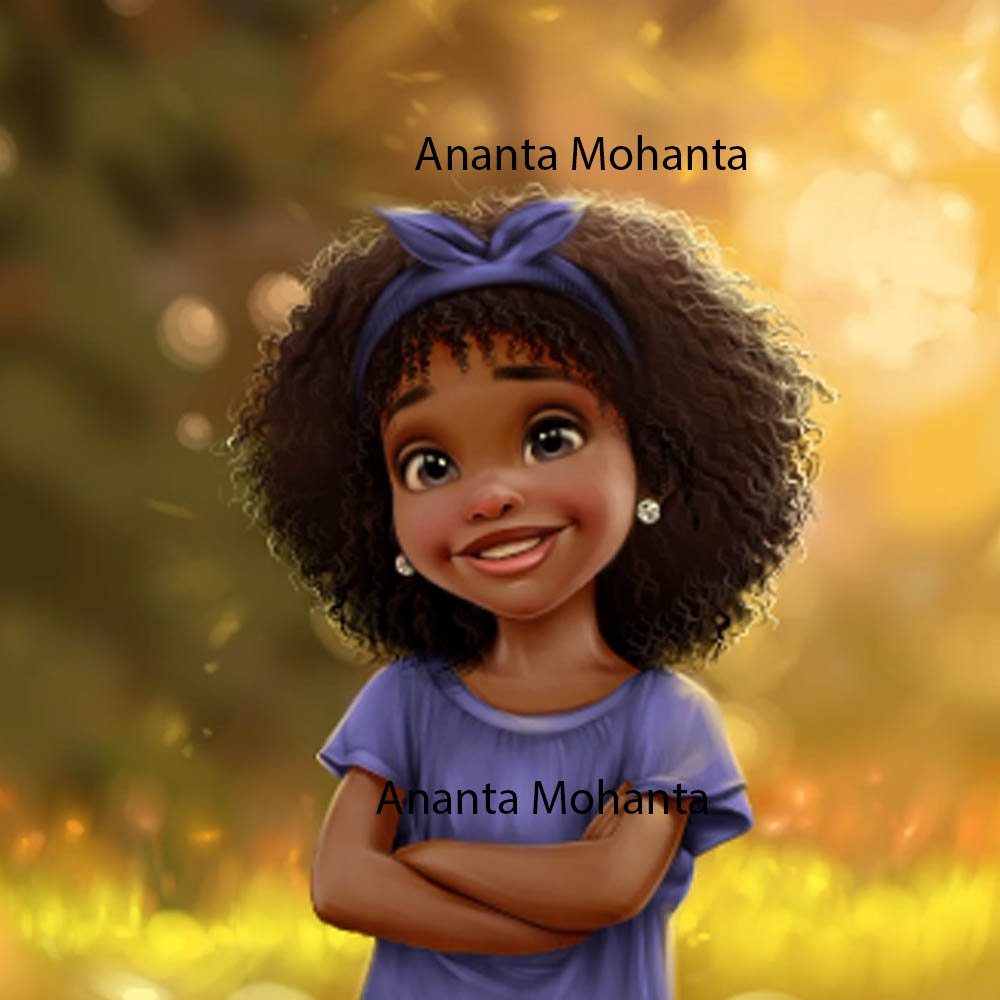
The canvas may have changed, but the artistic spirit remains. Today, artists aren't just dipping brushes in paint; they're wielding styluses, transforming pixels, and bringing stunning visuals to life on screens across the globe. Welcome to the vibrant world of Digital Art & Illustration, where creativity meets cutting-edge technology to redefine how we create, consume, and connect with art.
Whether you're a seasoned artist curious about the digital shift or a complete beginner itching to make your first mark, this guide is your definitive resource. We're here to demystify the tools, techniques, and career paths that make digital illustration such a powerful and rewarding field.
At a Glance: Your Quick Guide to Digital Art
- What it is: Creating visual artwork using computers, drawing tablets, and specialized software.
- Key Benefits: Unlimited undo, layers for easy revisions, vast color palettes, global collaboration, eco-friendly.
- Main Types: Raster (pixel-based, like photos) and Vector (mathematically defined, scalable).
- Essential Gear: A drawing tablet (or a screen-based graphic tablet) and a computer.
- Must-Have Software: Procreate (iPad), Adobe Photoshop (Mac/PC), or free options like Krita.
- Beginner Recommendation: iPad with Apple Pencil and Procreate for a smooth start.
- The Process: Brainstorming > Sketching > Line Art > Coloring/Shading > Final Touches > Export.
- Career Paths: Graphic Designer, Concept Artist, Children’s Book Illustrator, and more.
What Exactly is Digital Art & Illustration?
At its core, digital illustration is about crafting visual stories and designs using a suite of digital tools. Think of it as painting or drawing, but instead of physical materials, you're working with software, a screen, and a stylus. This shift from physical to digital isn't just a change of medium; it’s a revolution in how artists work, allowing for unparalleled flexibility, quick revisions, and an endless playground for experimentation.
You can mimic traditional oil paintings, create crisp, cartoon-like characters, or design intricate patterns for textiles—all within the same digital workspace. This boundless freedom, coupled with practical advantages like undo functions and layers, makes digital illustration a vital skill set in fields ranging from graphic design and animation to advertising and concept art. It's about creating stunning visual compositions that resonate, whether for artistic expression or commercial impact.
Diving Deeper: The Two Pillars of Digital Graphics
When you talk about digital illustration, you'll inevitably encounter two fundamental types of graphics that form the bedrock of almost everything you see on screen and in print. Understanding these will help you choose the right tools and techniques for your projects.
1. Raster (Bitmap) Graphics: The World of Pixels
Imagine a mosaic where each tiny tile is a specific color. That's essentially a raster graphic. It's composed of a grid of individual colored pixels (picture elements). When you zoom in on a raster image, you'll eventually see these squares.
- How they work: Each pixel holds specific color information.
- Common Formats: JPEG (photos), PNG (transparency), GIF (simple animations), TIFF (high-quality print), BMP, PCX.
- Software: Tools like Procreate and Adobe Photoshop are primarily designed for creating and manipulating raster graphics.
- Pros: Excellent for realistic images, photographs, and complex artwork with subtle color gradients and textures.
- Cons: Resolution-dependent. If you try to enlarge a raster image too much, it becomes pixelated and blurry.
2. Vector Graphics: Shapes Defined by Math
Unlike raster images, vector graphics aren't made of pixels. Instead, they are composed of mathematical formulas that define points, lines, curves, and shapes. Think of it like a set of instructions that tells your computer exactly how to draw something.
- How they work: Objects are defined by mathematical equations rather than fixed pixels.
- Common Formats: EPS, WMF, PostScript, TrueType fonts, and applications using GIS or CAD.
- Software: Programs like Adobe Illustrator (and to some extent, Affinity Designer) specialize in vector graphics. FreeHand was also a notable example.
- Pros: Infinitely scalable without any loss of quality. You can resize a vector logo from a business card to a billboard, and it will remain perfectly crisp. Ideal for logos, icons, illustrations requiring precise lines, and typography.
- Cons: Less suitable for photorealistic images or artwork requiring complex textures and subtle color variations.
Beyond the Technical: Styles and Specializations
While raster and vector define how images are constructed, digital illustration also branches out into countless styles and industry niches, allowing artists to specialize:
- Character Illustration: Crafting memorable personalities for games, animation, or branding.
- Concept Art: Developing visual ideas for films, video games, or comics, often setting the mood and aesthetic.
- Editorial Illustration: Creating visuals that accompany articles or stories in magazines, newspapers, or websites.
- Fashion Illustration: Bringing clothing designs to life, from runway sketches to marketing visuals.
- Technical Illustration: Producing clear, precise diagrams for manuals, scientific journals, or architectural plans.
- Children’s Book Illustration: Designing engaging and imaginative artwork for young readers.
Your Digital Studio: Essential Hardware for Digital Artists
To truly dive into digital illustration, you’ll need the right equipment. This isn't about buying the most expensive gear, but rather understanding what you need to get started and grow.
The Drawing Tablet: Your Digital Sketchpad
This is the cornerstone of any digital artist's setup. A drawing tablet allows you to draw with a stylus, mimicking the feel of pen on paper, with your creations appearing on your computer screen.
- Entry-Level Options: Wacom Intuos tablets are a fantastic starting point, typically costing around $40-$60. They connect to your computer, and you draw on the tablet surface while looking at your monitor. This takes a little getting used to, but it's incredibly effective.
- Why You Need It: A mouse is clumsy for drawing. A pressure-sensitive stylus (which most tablets come with) allows you to vary line thickness and opacity based on how hard you press, giving you far more control and expressiveness.
Graphics Drawing Monitor / Graphic Tablet: Drawing Directly on Screen
For a more intuitive, direct drawing experience, many artists upgrade to a graphics drawing monitor (often called a pen display) or a standalone graphic tablet.
- The Experience: These devices allow you to draw directly on the screen, much like drawing on paper. This significantly reduces the hand-eye coordination learning curve associated with traditional drawing tablets.
- Popular Options:
- iPad with Apple Pencil: A highly recommended option for beginners and pros alike. The iPad (starting around $500) combined with an Apple Pencil offers excellent pressure and angle sensitivity, portability, and a user-friendly interface.
- Microsoft Surface Pro: A powerful 2-in-1 device that also allows direct screen drawing.
- Wacom Cintiq: A professional-grade line of pen displays offering exceptional accuracy and build quality, though at a higher price point.
- The Computer/Laptop: While standalone tablets like the iPad are powerful, a dedicated computer or laptop (Mac or PC) is generally required for running professional-grade software, handling large files, and managing your digital assets effectively.
Your Digital Studio: Essential Software for Digital Artists
Once you have your hardware, software is where the magic truly happens. These applications provide the brushes, colors, layers, and effects that allow you to bring your vision to life.
- Procreate (iPad Exclusive):
- Why it's popular: Incredibly intuitive, powerful, and specifically designed for touch and stylus input.
- Cost: A one-time payment of around $14, making it highly accessible.
- Features: Robust layer system, an extensive library of customizable brushes, animation features, and powerful effects. Ideal for illustration, sketching, and digital painting on the go.
- Adobe Photoshop (Mac & PC):
- The industry standard: Widely used in illustration, graphic design, and photo editing.
- Cost: Subscription-based, usually around $20/month as part of the Adobe Creative Cloud suite.
- Features: Unmatched layers, masks, advanced brushes, a vast array of filters and effects, and seamless integration with other Adobe products. While excellent for illustration, it's a behemoth that can do much more.
- Other Powerful Contenders:
- Clip Studio Paint: Often favored by comic, manga, and animation artists for its robust line art tools and specialized features.
- Corel Painter: Known for its realistic traditional media emulation, making digital paintings look incredibly organic.
- Affinity Designer: A strong challenger to Adobe Illustrator, offering both vector and raster capabilities in a single application for a one-time purchase.
- Krita: An exceptional free and open-source option, popular among digital painters for its extensive brush engine and features.
- Autodesk SketchBook: Another great free option, celebrated for its clean interface and natural drawing experience, making it excellent for sketching and concept art.
Recommended Beginner Setup: Start Strong
If you're just starting, the thought of choosing hardware and software can be overwhelming. Here's a common recommendation that offers a fantastic blend of power, portability, and user-friendliness:
An iPad with an Apple Pencil and Procreate.
Why?
- Intuitive: Drawing directly on the screen with the Apple Pencil feels incredibly natural.
- Portable: Take your studio with you wherever you go.
- User-Friendly: Procreate has a gentle learning curve but an impressive depth of features.
- Cost-Effective: While the iPad is an investment, the one-time cost of Procreate is a huge bonus compared to monthly subscriptions.
This setup allows you to focus on learning digital art techniques without getting bogged down by complex software interfaces or desktop constraints.
The Creative Flow: Your Step-by-Step Process for Digital Illustration
Creating a digital illustration often follows a methodical yet flexible process, building from broad concepts to intricate details. This framework gives you a solid foundation, allowing for plenty of creative detours along the way.
1. Brainstorming & Concept Development
Every great illustration starts with an idea. This phase is about exploring that idea and giving it form.
- Define Your Goal: What's the purpose of this illustration? Who is it for?
- Gather Inspiration: Collect photos, textures, color palettes, and other artworks that resonate with your vision. Mood boards and concept sheets are excellent tools for this, helping to establish the overall theme, tone, and color scheme. Don't be afraid to pull from diverse sources to spark new ideas.
2. Sketching: Laying the Foundation
This is where your ideas start taking shape on the digital canvas.
- Rough Outlines: Begin with loose, gestural sketches to establish the main composition, basic shapes, and proportions. Don't worry about perfection here; focus on the overall structure and balance.
- Use Layers: Work on separate layers for different elements (e.g., background, foreground, characters). Use light opacity or grayscale brushes for maximum flexibility, allowing you to easily adjust elements without re-drawing everything.
3. Line Art: Bringing Clarity
Once your sketch feels right, it's time to refine those rough lines into clear, defined artwork.
- Clean Up: Create a new layer above your sketch and draw crisp, precise outlines.
- Pressure Sensitivity: Utilize pressure-sensitive brushes to vary line thickness, adding depth and dynamism to your linework. Thicker lines can indicate closeness or importance, while thinner lines suggest distance or delicate details.
4. Coloring & Shading: Adding Dimension
This is where your illustration truly comes alive, gaining depth, mood, and realism.
- Base Colors: Apply flat base colors on separate layers beneath your line art. This allows for easy adjustments later.
- Shading & Lighting: Now, add dimension. Consider your light source: Where is the light coming from? What areas would be in shadow?
- Gradients: Smooth transitions between colors.
- Soft Shading: Blended shadows that create a subtle, realistic feel.
- Cell Shading: Crisp, hard-edged shadows, often used in cartoons or comic books.
- Play with Light: Experiment with highlights, reflections, and atmospheric effects to enhance the illustration's mood and depth.
5. Final Touches: Polishing Your Masterpiece
The last stage is all about refinement and ensuring your illustration is presentation-ready.
- Detailing: Add intricate textures, patterns, or subtle elements that enrich the illustration.
- Adjustments: Fine-tune brightness, contrast, and saturation to achieve the desired visual impact.
- Effects: Apply filters, overlays, or textures to add character or a specific aesthetic.
- Quality Check: Zoom in to 100% to clean up any stray pixels or messy edges. View your illustration on different screens (e.g., phone, tablet, computer monitor) to ensure consistent appearance.
6. Exporting & Sharing: Presenting Your Work
You've created something amazing—now it's time to share it with the world!
- File Formats: Choose the appropriate format for your needs:
- JPEG: Excellent for web use; small file size, but lossy compression.
- PNG: Great for web, supports transparency, larger file size.
- TIFF: High-quality, lossless format, often preferred for print.
- SVG/EPS: Essential for vector graphics, ensuring scalability.
- Resolution:
- Print: Aim for 300 DPI (dots per inch) for crisp, high-quality prints.
- Web: 72 DPI is standard for screen viewing.
- Color Mode:
- CMYK: For print (Cyan, Magenta, Yellow, Key/Black).
- RGB: For screens (Red, Green, Blue).
- Save Project Files: Always save your layered project files (e.g., .PSD for Photoshop, .PROCREATE for Procreate) for future edits or revisions.
How Digital Illustration Has Transformed the Creative Landscape
The advent of digital tools didn't just add a new medium; it fundamentally reshaped the art world. It's not an exaggeration to say that digital illustration has democratized art and opened doors for countless creatives.
- Increased Accessibility: No longer do you need expensive physical materials, dedicated studio space, or specialized equipment like printing presses. Basic digital tools make art creation more attainable for everyone.
- Global Collaboration: Sharing files across continents is instantaneous. Artists can collaborate on projects regardless of their physical location, working seamlessly on the same canvas.
- Encouraged Experimentation: The "undo" button is perhaps the most revolutionary feature. Artists can experiment freely with colors, compositions, and styles without fear of ruining their work. Digital brushes offer infinite possibilities, from hyper-realistic textures to abstract forms.
- Streamlined Integration: Digital illustrations are born ready for the digital age. They integrate effortlessly into web design, animation, video games, and digital publishing, making the workflow incredibly efficient for multimedia projects.
Why Go Digital? The Benefits You Can't Ignore
Beyond merely transforming the landscape, digital illustration offers a compelling array of practical and creative advantages that make it an attractive path for many artists.
Creative Freedom & Flexibility
- Unlimited Undos: Make mistakes? No problem. The undo button is your best friend, encouraging bold experimentation without consequence.
- Vast Toolset: Access an endless array of digital brushes, textures, and effects. Mimic watercolors, charcoal, oil paint, or invent entirely new styles.
- Easy Revision: Layers allow you to adjust individual elements—a character, a background, a splash of color—without affecting the rest of the artwork.
- Hybrid Art: Seamlessly combine your illustrations with photography, typography, or other digital design elements.
Practical Advantages & Efficiency
- No Physical Materials: Say goodbye to expensive paints, messy canvases, and cluttered studios. Your entire art supply store fits in your device. This also means no material waste, making it eco-friendlier.
- Easy Storage & Editing: Digital files are simple to store, organize, and back up. Editing, resizing, or recoloring a finished piece for different clients or purposes is straightforward.
- Seamless Compatibility: Digital illustrations are natively compatible with other digital media, making them perfect for web, video, and interactive projects.
- Faster Delivery: Projects can be completed and delivered to clients much quicker, often via a simple email or cloud share, speeding up workflows considerably.
Navigating the Bumpy Road: Challenges and How to Overcome Them
While the digital canvas offers immense possibilities, it's not without its unique set of challenges. Being aware of these can help you navigate your artistic journey more smoothly.
- Creative Burnout: The endless possibilities and constant demands of digital work can lead to exhaustion.
- Solution: Take regular breaks, step away from the screen, and engage in non-digital activities to refresh your mind.
- Over-Editing: The ease of making changes can sometimes lead to endless tweaking, preventing you from ever declaring a piece "finished."
- Solution: Set clear deadlines for yourself. Learn when to stop and embrace the imperfections that give art character.
- Learning Curve: Mastering new software and devices can be intimidating initially.
- Solution: Start with beginner-friendly tools like Procreate or Krita. Follow tutorials, take online courses, and learn gradually. Be patient with yourself.
- Screen Fatigue: Long hours staring at a screen can lead to eye strain, headaches, and physical discomfort.
- Solution: Implement the 20-20-20 rule (every 20 minutes, look at something 20 feet away for 20 seconds). Adjust screen brightness, use blue light filters, and ensure proper ergonomic setup.
Joining online communities and connecting with other digital artists can also provide invaluable support, tips, and inspiration for overcoming these hurdles. Remember, it's a journey, not a race.
Charting Your Course: Becoming a Digital Illustrator
Ready to take the plunge? Becoming a skilled digital illustrator involves a blend of artistic development and technical proficiency. Here’s a roadmap to guide you.
- Hone Your Foundational Skills: Before you master digital tools, master the fundamentals of art. This includes traditional drawing, painting, composition, color theory, perspective, and anatomy. These principles are universal and translate directly to the digital realm.
- Invest in Your Tools & Learn Them: Select suitable hardware (a drawing tablet is a must) and software that aligns with your goals and budget. Dedicate time to learning the basics of your chosen software through tutorials, online courses, and consistent practice. Don't try to learn everything at once.
- Dive into Digital Techniques: Once comfortable with your tools, explore specific digital techniques:
- Linework: Achieving clean, expressive lines.
- Shading & Blending: Creating depth and smooth color transitions.
- Texture Creation: Adding realistic or stylized textures.
- Using Layers & Masks: Mastering these for efficient workflow and non-destructive editing.
- Develop Your Unique Style: Experiment relentlessly. Try different brushes, color palettes, and subject matters. Over time, you'll start to develop a unique artistic voice that sets your work apart. Consistency in style can become a signature.
- Build a Portfolio & Promote Your Work: Your portfolio is your professional calling card. Curate a diverse collection of your best digital illustrations. Share your work on social media platforms (Instagram, Behance, ArtStation), create a personal website, or start a blog.
- Network & Practice Consistently: Engage with online art communities, attend virtual or local art events, seek feedback (and learn to accept constructive criticism), and most importantly, draw every single day. Consistent practice is the fastest way to improve. You'll find a wealth of resources and fellow artists to connect with on platforms like Creative Mode hub.
- Pursue Career Opportunities: With a strong portfolio and refined skills, you can start seeking freelance gigs, job opportunities within studios, or commissions directly from clients. While a degree can be helpful, it's not strictly required; passion, dedication, a robust portfolio, and effective networking often matter more.
Must-Have Skills for Digital Illustrators
To thrive in the dynamic world of digital illustration, you'll need a robust blend of creative aptitude and technical know-how.
- Strong Foundation in Traditional Art Principles: This is non-negotiable. Understanding drawing, composition, color theory, perspective, and light will elevate your digital work.
- Proficiency with Digital Software & Hardware: You must be comfortable navigating your chosen software's interface, using its tools, and effectively utilizing your drawing tablet or graphic monitor.
- Mastery of Digital Techniques: This includes understanding digital linework, effective shading, blending modes, creating and applying textures, and utilizing layers and masks for efficient workflow.
- Adaptability & Experimentation: The digital art world evolves rapidly. The ability to adapt to new software, techniques, and trends is crucial. Don't be afraid to experiment and push creative boundaries.
- Problem-Solving: Every illustration presents creative challenges. Developing strong problem-solving skills helps you overcome artistic blocks and technical hurdles.
- Attention to Detail: From the smallest pixel to the overall composition, an eye for detail ensures high-quality, polished artwork.
- Ability to Accept Constructive Criticism: Feedback is essential for growth. Being open to it and knowing how to apply it will accelerate your learning.
- Good Communication Skills: Especially vital for client work and team collaborations. Clearly understanding and articulating project requirements, progress, and feedback is key to success.
Your Path Forward: Career Avenues and Earning Potential
The demand for compelling visuals is higher than ever, opening numerous doors for skilled digital illustrators. Your career path can be as diverse as your artistic style.
Popular Career Paths:
- Graphic Designer: Creating visual concepts using computer software or by hand, to communicate ideas that inspire, inform, or captivate consumers. This often involves combining illustration with typography and layout.
- Concept Artist: Primarily working in the entertainment industry (video games, film, animation) to create visual representations of ideas for characters, environments, vehicles, and props.
- Children’s/Comic Book Illustrator: Bringing stories to life with engaging visuals for books, graphic novels, and digital comics.
- Editorial Illustrator: Crafting images that accompany articles, editorials, or news pieces for publications, both print and digital.
- Character Designer: Specializing in creating unique and memorable characters for various media, focusing on personality, expression, and appeal.
- Storyboard Artist: Translating scripts into visual sequences, outlining shots and actions for film, animation, or commercials.
- Digital Painter: Focusing on creating fine art or commercial art with a painterly aesthetic using digital tools, often mimicking traditional painting techniques.
Income & Earnings:
Income for digital illustrators varies widely based on several factors:
- Industry: Entertainment or advertising industries often offer higher pay.
- Location: Major cities typically have higher pay scales.
- Experience Level: Entry-level artists will earn less than experienced professionals with established portfolios.
- Client Type: Working for large corporations can command significant fees, while smaller independent projects might pay less.
- Freelance vs. Salaried: Freelancers have the potential for higher per-project rates but also manage their own business aspects. Salaried positions offer stability.
Many freelance digital illustrators charge by the project, by the hour, or by usage rights, with rates ranging from a few hundred dollars for small illustrations to thousands for larger, more complex commissions or extensive client projects. Royalties are also common for book illustrators. Continuous skill development, networking, and a strong professional portfolio are key to increasing earning potential.
Gazing into the Crystal Ball: The Future of Digital Illustration
The field of digital illustration is not static; it's a rapidly evolving landscape driven by technological innovation. The future looks incredibly bright, filled with new opportunities and exciting tools.
- AI Integration: Artificial intelligence tools are becoming more sophisticated, assisting artists with tasks like generating initial concepts, auto-coloring, or even transforming sketches into finished artwork. This won't replace human creativity but will augment it, allowing artists to focus on higher-level conceptualization.
- Virtual Reality (VR) & Augmented Reality (AR): Imagine drawing in a 3D space around you or creating illustrations that interact with the real world through AR. These immersive technologies are opening up entirely new dimensions for artistic expression and interaction.
- 3D Modeling & Texturing: The lines between 2D illustration and 3D art are blurring. Understanding basic 3D modeling and texturing will become increasingly valuable for concept artists and illustrators working in gaming and animation.
- New Platforms & Demand: The demand for skilled illustrators continues to grow in emerging areas like NFTs (Non-Fungible Tokens), webcomics, interactive storytelling, and digital marketing. As our world becomes more visually driven, the need for compelling, original digital art will only increase.
The future of digital illustration emphasizes a blend of creativity and technology. Artists who embrace continuous learning and adapt to new tools will find themselves at the forefront of this exciting evolution, shaping the visual stories of tomorrow.
The digital canvas is vast and ever-expanding, offering a thrilling journey for anyone with a creative spark. Whether you aim to tell stories, design worlds, or simply express yourself, the world of digital art and illustration welcomes you with open arms and an endless palette of possibilities. Pick up that stylus, explore the software, and start creating—your unique vision is waiting to be brought to life.